Cinematic film looks for any editor, rendered in one command, no plugins, no LUTs.
Every clip and still on this page was graded by Claude Code with hance. Fully autonomous, zero human touch.
Source footage is a mix of real clips from Pexels and AI-generated clips from Lumina.
Eight effects. One render graph. Zero intermediate files.
- Color
- Halation
- Bloom
- Grain
- Vignette
- Split Tone
- Aberration
- Shake
Drag to compare. Untouched on the left, hance on the right.








graded with cinestill-800t
Preview. Render. Ship.
- 01
Preview
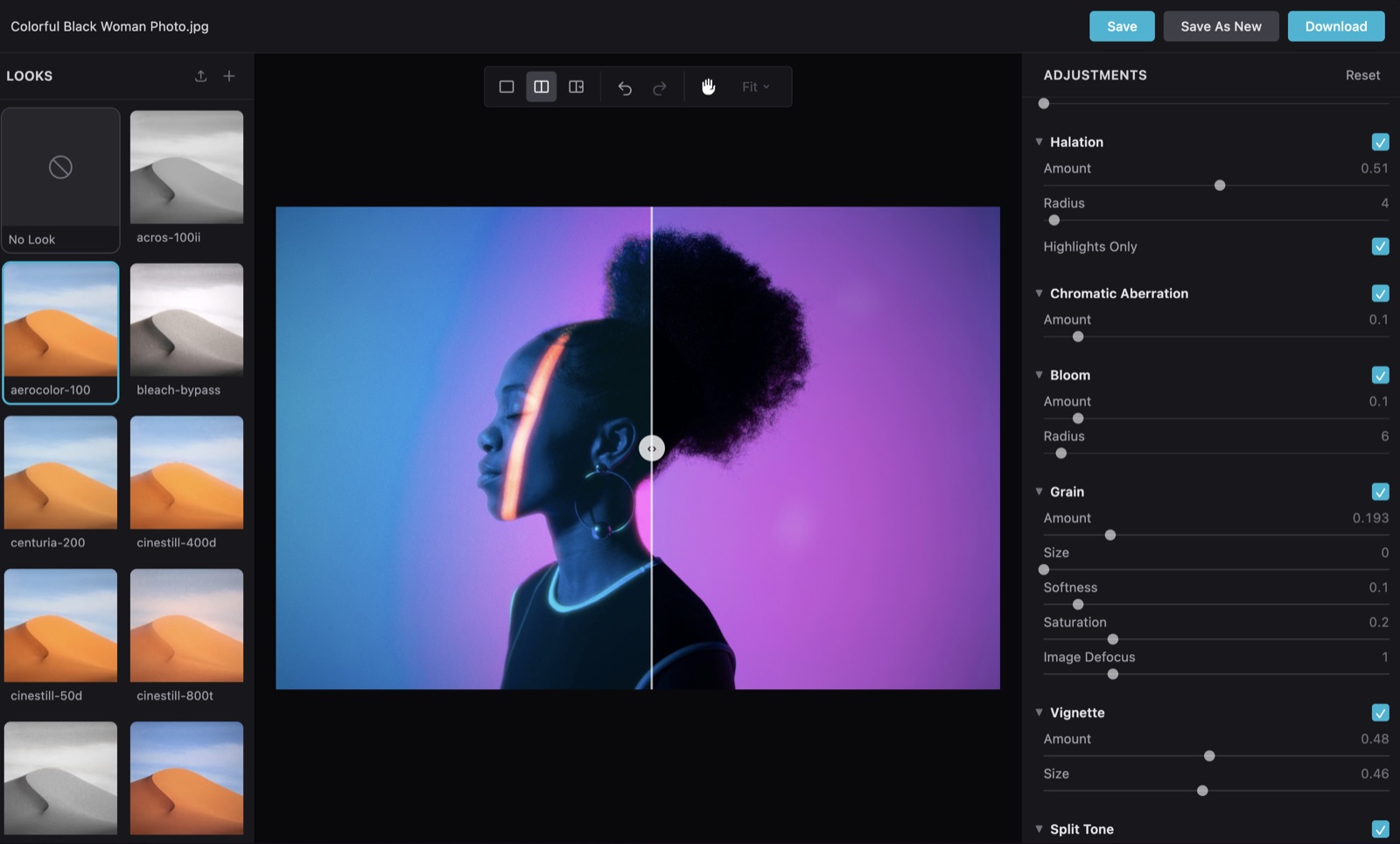
Open the browser editor on your own footage, try looks, and dial one in. No install step. npx fetches the latest hance. You just need FFmpeg on your PATH.
$ npx @orva-studio/hance ui your-video.mp4→ http://localhost:4800 - 02
Render
Bake the look into a new file at export quality. One render graph, no intermediate files, no plugins, no LUT pipeline.
$ hance your-video.mp4 --preset portra-400 --export high→ your-video_hanced.mp4 - 03
Import
Drop the graded clip into CapCut, iMovie, ScreenFlow, anywhere. The film look is already baked into the pixels.
→ CapCut · iMovie · ScreenFlow · the web
Source photo from Pexels.
Pipe in your renders
Already rendering with Remotion, Manim, or raw FFmpeg? Send the output through hance to add film grain, halation, and bloom no LUT can fake.
Animation pipeline recipes →Batch a whole folder
Apply one consistent look across hundreds of clips, headless, no GUI in the loop. One render graph per clip, no intermediate files.
Ways to install.
macOS and Linux. The only requirement is FFmpeg on your PATH.
Run with npx
No install step — npx fetches and runs the latest hance on demand. The quickest way to try it.
From your AI agent
Drive hance from Claude Code or Cursor. The skill's setup command checks FFmpeg and gets you ready in one step.
Install the CLI
For frequent use, install a persistent binary to ~/.hance/bin. No Bun, Rust, or Node required.
Mac app
BetaA native macOS app for grading without the terminal - the full hance look engine in a desktop window. Apple silicon (Intel coming soon).
Download for Mac (beta) All releases →Questions, plainly answered.
Is this a plugin for DaVinci or Premiere?
+
Not today. Hance is a standalone CLI plus an optional local browser UI. It runs anywhere FFmpeg runs and slots into your existing pipeline rather than living inside an NLE. A native plugin is technically feasible down the line, most likely as an OFX plugin for DaVinci Resolve, but it is not on the near-term roadmap.
Is hance free? How much does it cost?
+
Hance is free to use and source-available. Every effect, all 40+ film looks, the browser UI, and the AI agent skill cost nothing. A paid Pro tier is coming soon, adding ProRes export, batch processing, and premium looks. Pricing is not yet announced; see the Free vs Pro page for the full breakdown.
Does my footage leave my machine?
+
No. Everything happens locally on your GPU, so there is no upload, and your files never leave your disk.
Why CLI-first?
+
Because batch grading, ingest pipelines, and scripted workflows should not require dragging clips into a GUI. A CLI is also the native interface for AI agents; drive hance from Claude Code or Cursor with the /hance skill, no clicking required. The optional UI is for dialing in a look; the CLI is for applying it at scale.
What does the optional UI do?
+
Live preview while you tune effects on real footage. When you like the result, save it as a .hlook preset and apply it from the command line, by name, forever.
Linux and Windows?
+
macOS is the primary target during beta. Linux works and is lightly tested, and hance ships native binaries for both (arm64/x64). Windows is not supported.
Does it work with ComfyUI or AI video pipelines?
+
Today, yes — because hance is a CLI, any pipeline can shell out to it as a post-process step to add a film look to generated frames. A dedicated ComfyUI node is on the roadmap to make that a drag-and-drop step rather than a script.
License?
+
FSL-1.1-Apache-2.0. Free to use, modify, and redistribute. Cannot be used to build a competing product or service. Converts to Apache 2.0 on April 1, 2028.